The 10 Things You Should Never Paste Into an AI Chat
Your AI chats are stored, sometimes read by humans, and have already been handed to lawyers. Here's what not to share with AI, and the settings to change.
Most people treat an AI chat like a private notebook. It looks like one: a box, on your screen, that nobody else appears to be reading. So almost nobody stops to think about what not to share with AI.
It is not a notebook. It is a message you are sending to a company, which stores it, sometimes has a person read it, and can be compelled to hand it over. In January 2026 that stopped being theoretical: a US court ordered OpenAI to produce 20 million de-identified ChatGPT conversation logs to lawyers for the New York Times, and the first batch was delivered.
So the useful question is not whether AI is safe. It is what to keep out, specifically, and what to do instead. Here is the list, and the three settings worth changing before you send another message.
What actually happens to a message you send
Three things, and none of them are obvious from the interface.
It is retained. Anthropic deletes a conversation from its back-end systems within 30 days of you deleting it, so "delete" means "starts a countdown", not "gone now". If you have model training switched on, Claude chats can be kept in a de-identified form in training pipelines for up to five years. OpenAI's Temporary Chats are removed after 30 days.
It may be read by a person. Every major assistant reserves the right to have humans review conversations flagged by automated safety systems. Google is the bluntest about it, telling Gemini users not to enter anything confidential they would not want a reviewer to see, and noting that reviewed conversations are kept for up to three years even if you delete your activity.
It can leave the company. Litigation is the obvious route, and the OpenAI logs order is the proof. The less obvious one is your own account being taken over: Claude sessions were being stolen by infostealer malware earlier this month, no password required. Whatever is in your chat history is in the attacker's hands too.
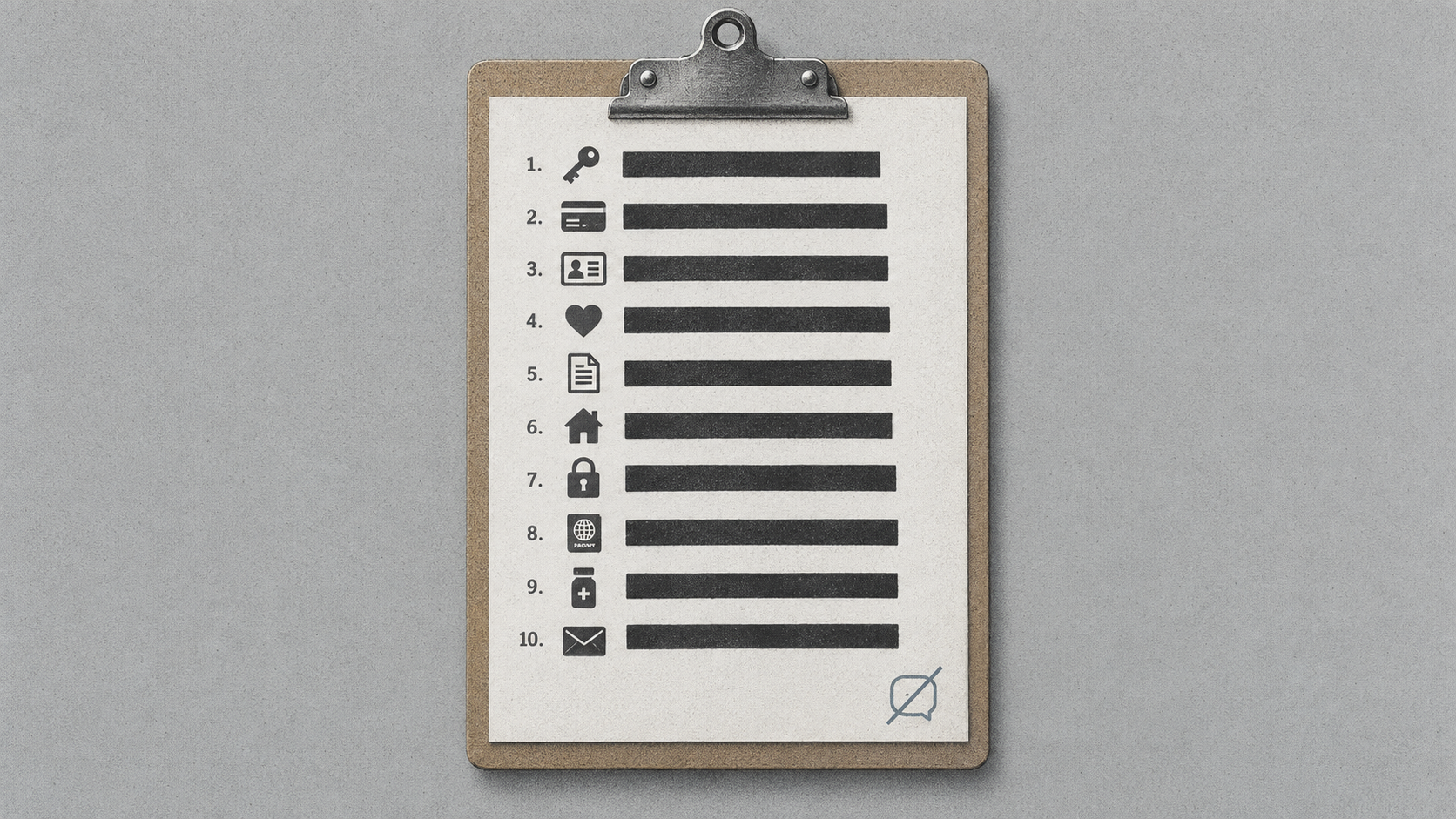
The 10 things to keep out
- Passwords, API keys and login codes. There is no version of this that is fine. Assistants are increasingly connected to other tools, and a key pasted in plain text sits in a log you do not control.
- Card numbers and bank details. Same reasoning, plus these end up in exports, screenshots and shared links far more often than people expect.
- Government ID numbers. Passport, national insurance, social security, driving licence. High value to a fraudster, zero value to the model. It cannot help you better because it knows the number.
- Other people's personal data. Client lists, employee records, patient notes, a customer spreadsheet. This is the one most likely to get someone in actual trouble, because in the UK and EU you are the data controller and you have just sent that data to a third-party processor without a lawful basis for it.
- Anything covered by an NDA. Draft contracts, deal terms, acquisition talk. The NDA does not carve out "unless you were only asking an AI to summarise it".
- Unreleased company material. Financials before they are public, roadmaps, source code, pricing strategy. Several banks banned consumer assistants outright for exactly this, and UBS now asks graduate applicants how they use AI while still policing what goes into it.
- Medical details attached to your name. Ask the health question. Just do not stack the symptom, the diagnosis, the medication and your full name into one thread that then sits in your history for years.
- Live legal matters. A dispute you are actually in, a claim you are actually making. Nothing you type to an assistant is privileged, and the whole point of the OpenAI logs order is that these conversations are discoverable.
- The full identity kit. Home address, date of birth, mother's maiden name, the answers to your security questions. Individually harmless, collectively a password reset on any account you own.
- Anything you would not want read aloud in court. This is the catch-all, and the one to actually use. If a sentence would be embarrassing or damaging attached to your name in a document you did not choose to publish, it does not go in the box.
Redact instead of avoiding
The failure mode of privacy advice is that people ignore it, because following it would mean not using the tool. So do not skip the task. Change the input.
Replace every real identifier with a placeholder before you paste. Names become Client A and Client B. Figures become round numbers of the right magnitude. Addresses become "a mid-sized office in a UK city". The model is pattern-matching on structure, not on the fact that the client is called Hendricks, so the answer you get back is the same one.
Then paste the answer back into your own document and swap the real details in. It adds about 30 seconds and removes almost all of the risk.
Three settings worth changing today
None of these are hidden, and most people have never opened them.
Turn off model training. In ChatGPT, that is Settings, then Data controls, then "Improve the model for everyone". In Claude, it is Settings, then Privacy, then "Help improve our AI models". Both are single toggles and both apply account-wide across web and mobile. Anthropic is explicit that switching it off stops future training use of your previous chats as well as new ones, although anything already inside a training run that has started stays there.
Use private mode for the sensitive stuff. ChatGPT calls it Temporary Chat, Claude calls it Incognito. Neither saves to your history, neither creates memories, and neither is used for training. The trade-off is real: no history means no going back to it tomorrow.
Audit your shared links. Both ChatGPT and Claude have a Manage screen for chats you have shared, under Data controls and Privacy respectively. A shared chat is a live public URL, not a one-time send, and it stays live until you revoke it. This is the setting people are most surprised by, and it sits in the same panel as the Claude settings most people never open.
Where it goes wrong
People assume deleting is enough. It is not, and it never was. Deleting removes the chat from your view and starts a retention clock on the back end. If the conversation was flagged, or caught by a legal hold, the clock does not apply.
Memory quietly keeps things. Mention your employer, your children's names or your salary in passing and the assistant may write it to long-term memory, where it persists across every future conversation including ones you thought were unrelated. Check the memory list every few weeks and delete what should not be there.
Work accounts feel safer than they are. Enterprise plans genuinely do have stronger contractual protections, and they are worth having. What they do not give you is invisibility from your employer, who can usually see what you typed.
Connectors move data outward. Once an assistant is linked to your email, drive or Slack, the boundary of "what I shared" stops being "what I pasted". It becomes whatever the assistant can reach. The fine print on consumer AI assistants is where this usually bites.
Temporary chats are not anonymous. They are unsaved, which is not the same thing. They are still tied to your account and still reviewable for abuse.
FAQ
Are AI chats private? No, not in the way an email draft is private. They are stored on the provider's systems, may be reviewed by humans if flagged, and can be produced in litigation. Private mode reduces retention but does not make a chat anonymous.
Does turning off training delete my old chats? No. It stops them being used for future model training, but they stay in your history until you delete them, and deletion runs on a retention window of roughly 30 days on the back end.
Is it safe to upload a document? It carries the same risk as pasting the text, because that is what it becomes. Strip the identifying details first, or use a plan with a contractual no-training guarantee.
What if I already pasted something sensitive? Delete the conversation, check your saved memories for anything it captured, revoke any shared link, and if it was a credential, rotate it. Assume it existed rather than assuming it vanished.
The habit that actually works
The rules above collapse into one question you can ask in a second, before every paste: would I be comfortable with this exact text attached to my name in a document I did not choose to publish?
Most of the time the answer is yes and you carry on. When the answer is no, you have a choice between redacting and not sending, and redacting almost always wins, because the model did not need the real names anyway.
Knowing what not to share with AI is not about using it less. It is about the 30 seconds of editing that lets you use it for the interesting work instead of only the safe work.