The ChatGPT Images 2.0 Prompt That Rebuilds Blurry Photos
A copy-paste ChatGPT Images 2.0 prompt for rebuilding blurry photos. Plus how to adapt it for portraits, landscapes, and old family pics.
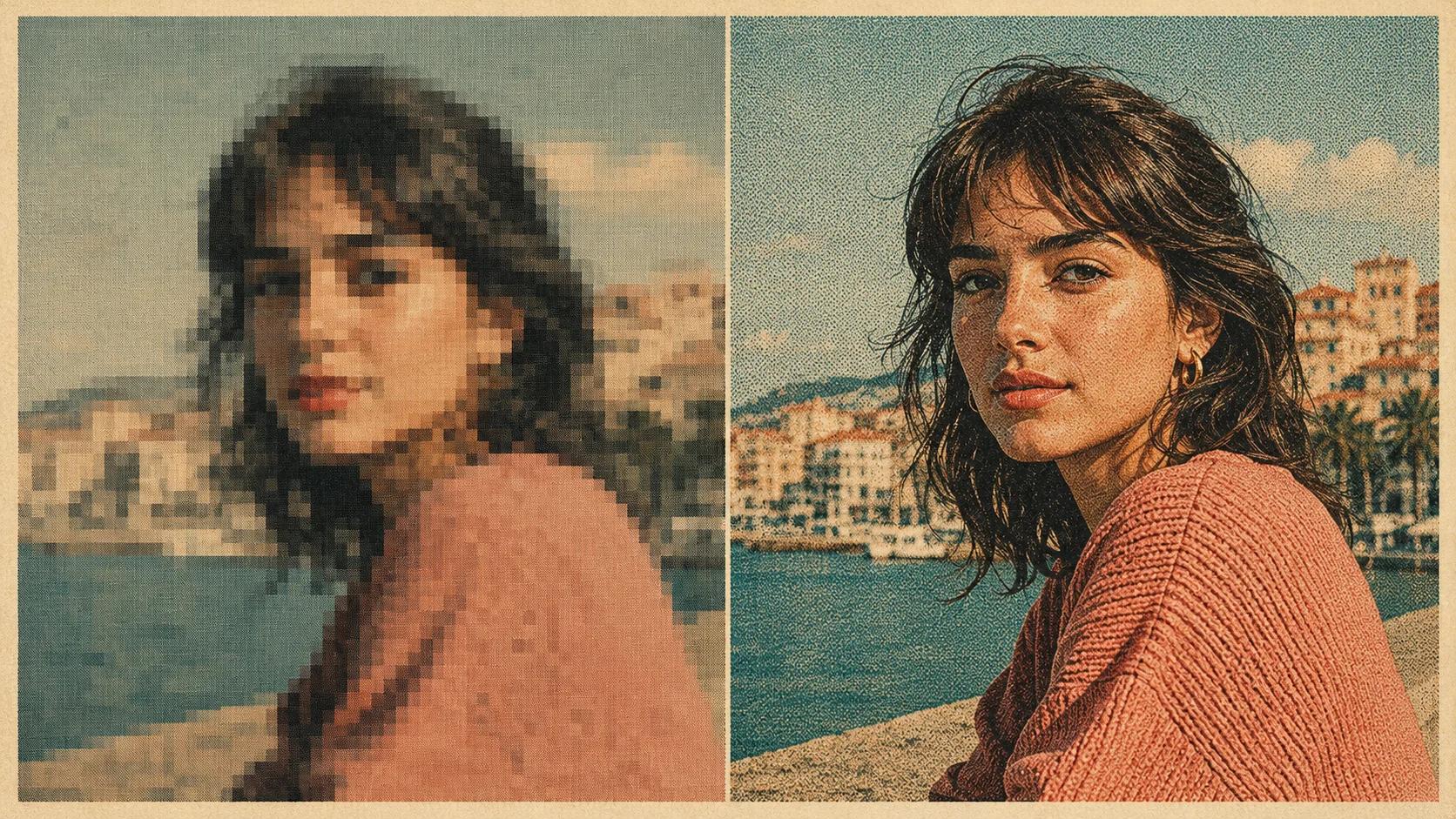
ChatGPT Images 2.0 can do something most AI upscalers can't: rebuild detail in a blurry photo rather than just sharpen what's already there. The catch is that getting it to actually do this requires a much longer, more specific prompt than people instinctively type. "Make this 4K" doesn't work. A 200-word brief does.
The reason comes down to how the new model works. ChatGPT Images 2.0, which OpenAI released in April, is the first version of ChatGPT's image generation that reasons about an input before producing the output. Hand it structure and it follows the structure. Hand it a vague request and it improvises, often badly.
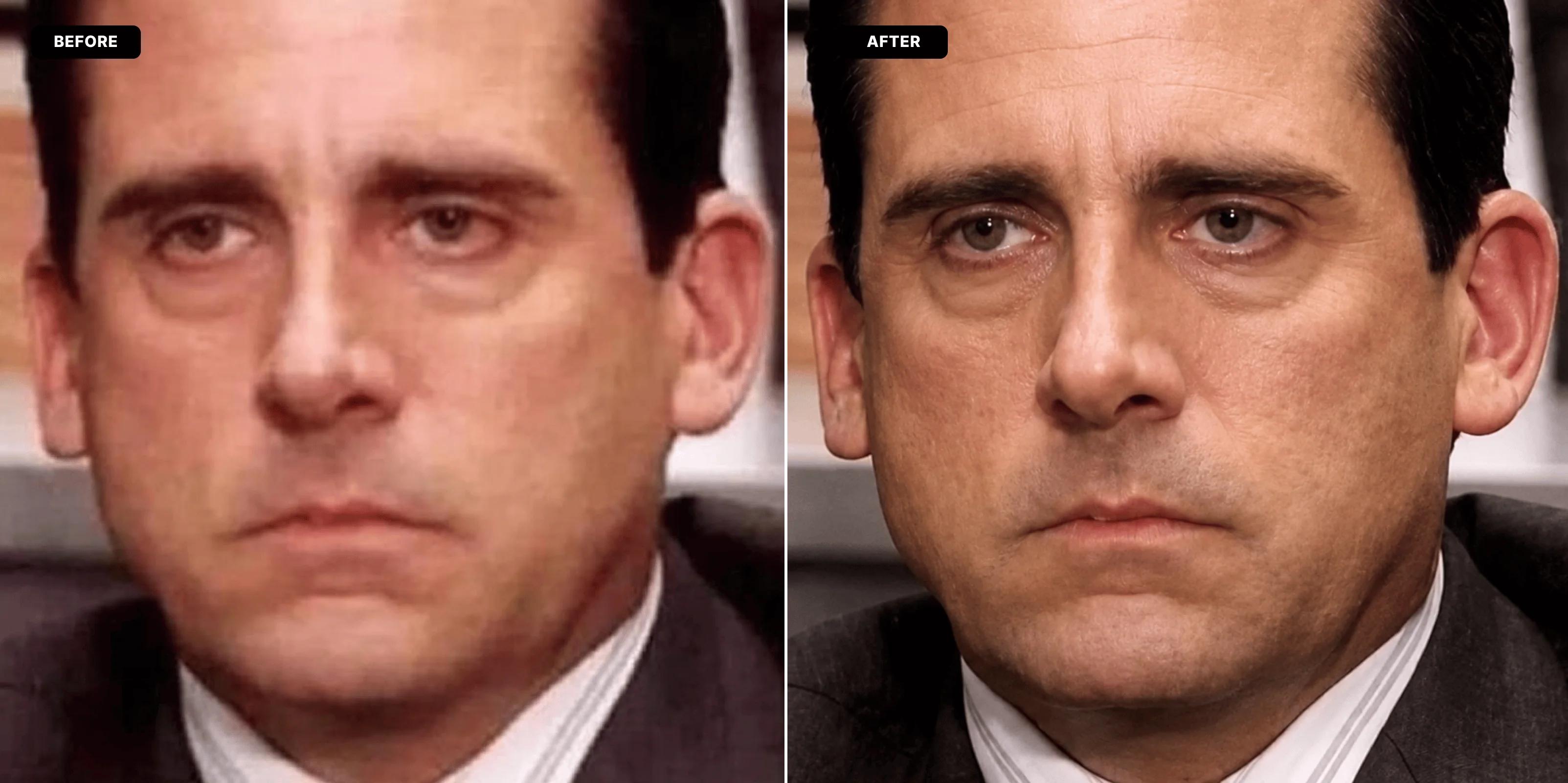
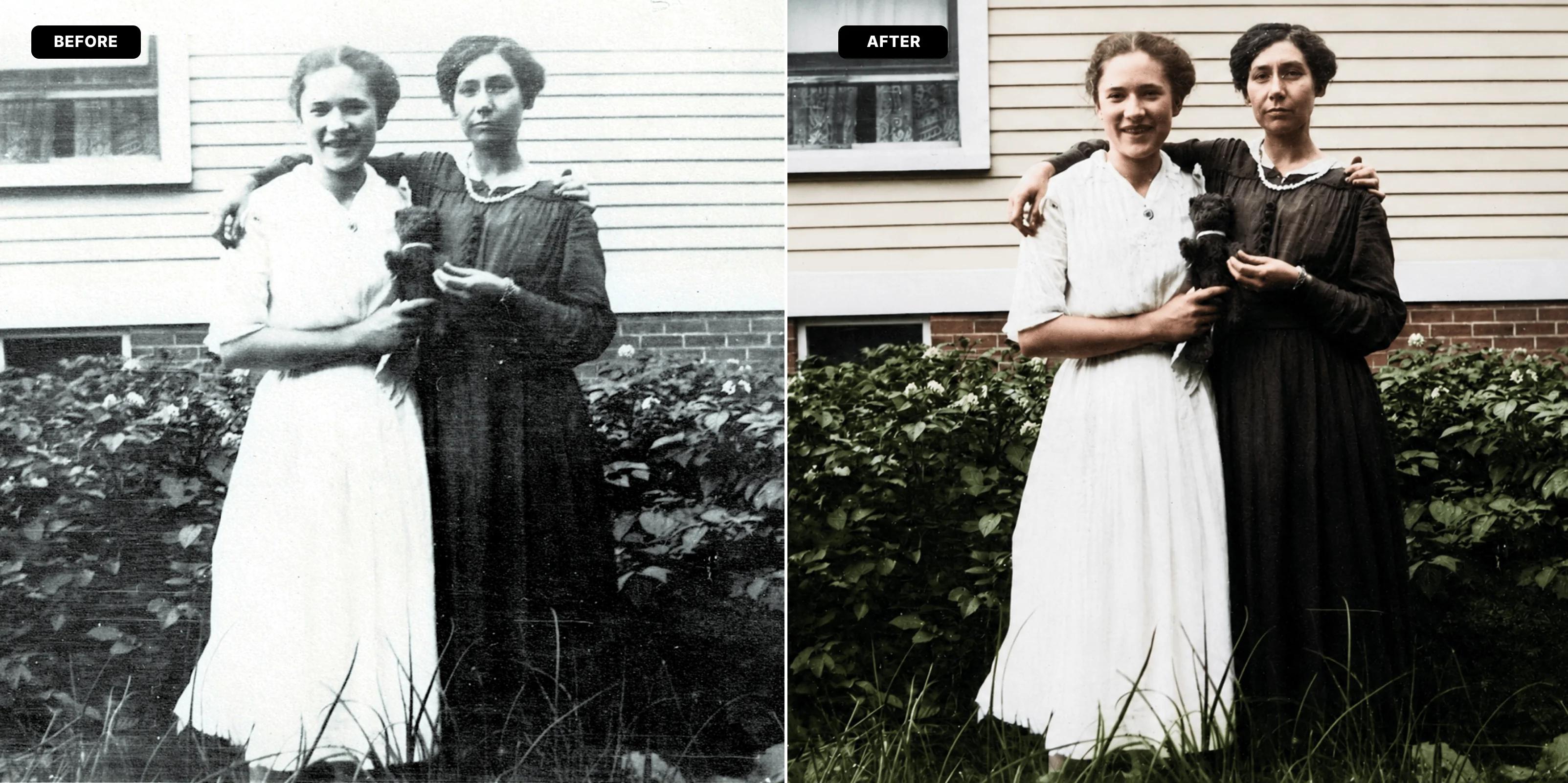
The prompt below is built around two ideas. First, tell the model explicitly what to fix: blur, noise, compression artefacts, faded colour, lost micro-detail. Second, tell it explicitly what not to touch: facial features, proportions, expression, pose, framing. Most AI enhancers fail on the second part by default. They sharpen the image and flatten anything that looks like noise, which means real skin texture gets ironed into Sims-character territory.
The full prompt, plus the small tweaks that make it work for different subjects, are below for OFFULTRA subscribers.