What CLAUDE.md Actually Does - And The 21 Instructions Worth Setting
CLAUDE.md gives Claude Code a permanent memory of your preferences. Here's how the file works, the 21 instructions worth setting, and a starter template.

Every time you start a new conversation with Claude, you're starting from zero. It doesn't know your name, your work, your preferences, or the twenty things you've told it three times already. You explain yourself. Again.
CLAUDE.md fixes that. It's a plain text file that Claude Code — Anthropic's tool for working with Claude on your own computer — reads automatically at the start of every session: a permanent instruction manual you write once and never repeat. Worth knowing up front: this is a Claude Code feature specifically. It won't change how Claude behaves in the app or on claude.ai, which has its own memory. Most people using Claude Code haven't heard of it. The ones who have are saving hours every week.
Here's exactly what it does, how to set it up, and the 21 instructions worth putting in yours.
💡 In this guide:
1. What CLAUDE.md is (and what it isn't)
2. Where it lives and how Claude reads it
3. The 21 instructions worth setting
4. A copy-paste starter template
5. What to avoid (the common mistakes that make it useless)
6. Resources
What CLAUDE.md Is
CLAUDE.md is a Markdown file — just a text file with some basic formatting — that Claude Code reads automatically every time you open a project. Think of it as the briefing document you'd hand a new assistant before their first day: your preferences, your rules, your context, your working style.
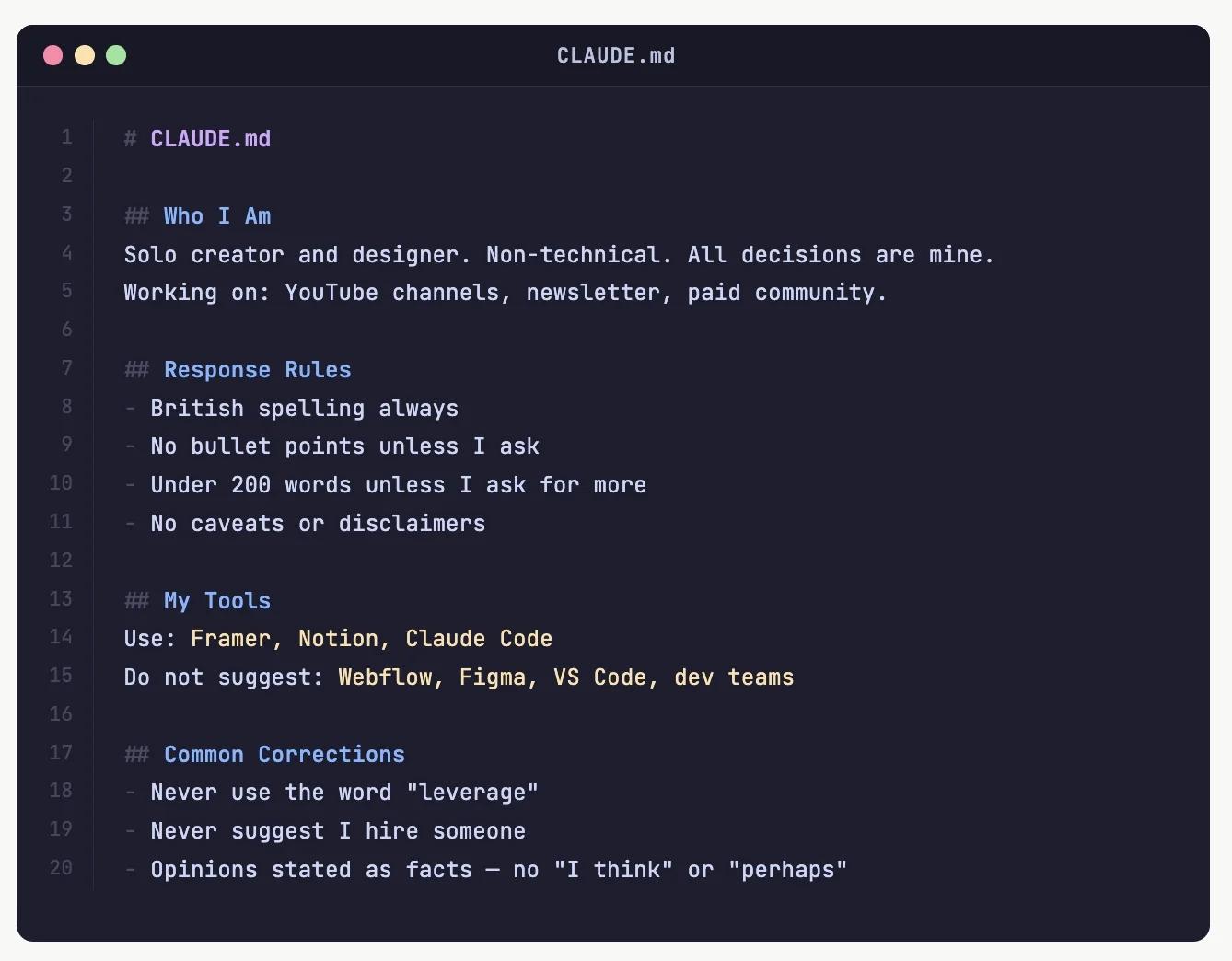
You write it once. Claude reads it every session. You stop explaining yourself.
(Claude Code also keeps some notes of its own between sessions — a feature called auto memory — but that's Claude deciding what's worth remembering. CLAUDE.md is you deciding.)
It's not magic and it's not complicated. It's just a file in a specific location.
Where It Lives
Claude reads CLAUDE.md from three places:
- Your global file (~/.claude/CLAUDE.md) — applies to everything you do with Claude Code, everywhere
- Your project root (./CLAUDE.md) — applies to a specific project, can be shared with teammates via git
- Subdirectory files — scoped instructions for specific parts of a project, loaded only when Claude works with files in that part of the project
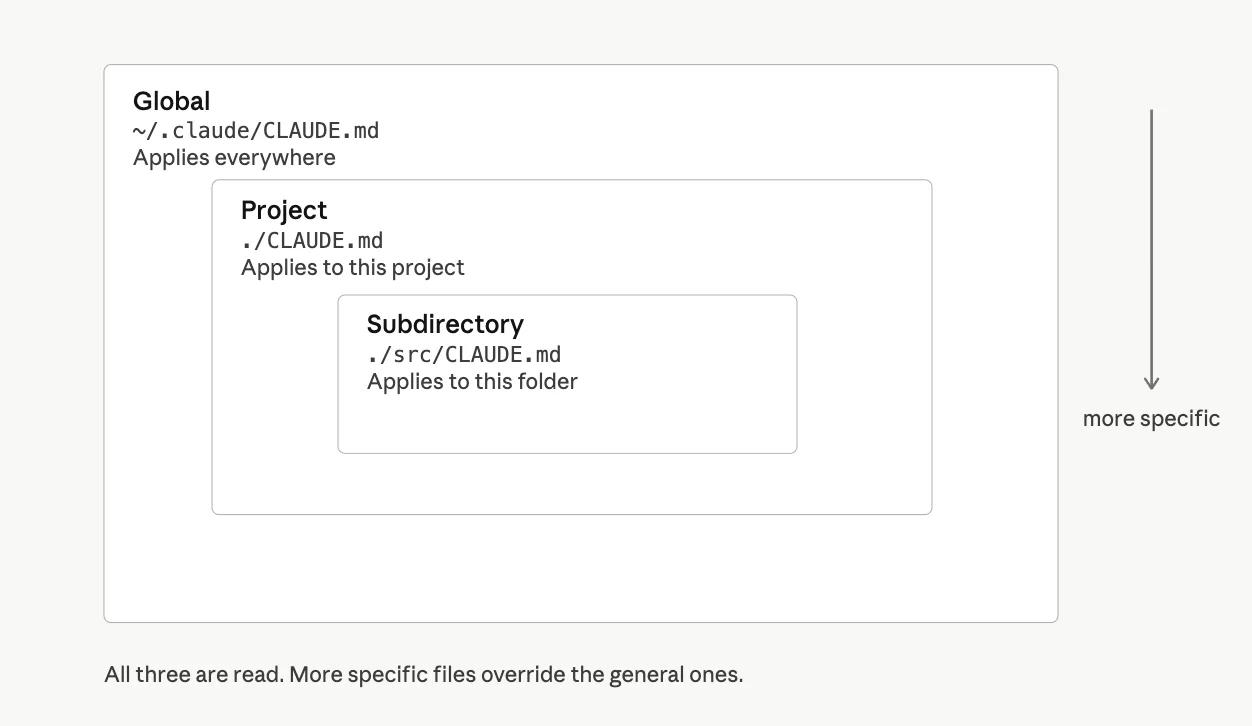
The first two are read at the start of every session; subdirectory files join in when they're needed. Everything is merged, and more specific files are read last — so when rules conflict, the specific ones take precedence over the global ones.
The practical version: If you just want to save your personal preferences, create one file at ~/.claude/CLAUDE.md and you're done. Everything else is optional.
What Goes In It
CLAUDE.md isn't a place to dump everything you've ever told Claude. Keep it under roughly 200 lines and Claude will actually use it. Go longer and the important rules get buried.
The best CLAUDE.md files cover four things:
Who you are and what you're working on. Your role, your stack, your domain. "I'm a designer, not a developer. When you suggest code, explain what it does before you write it."
Rules for how Claude should respond. Length, format, tone. "Don't use bullet points unless I ask. Write in plain sentences. Be concise."
Things Claude keeps getting wrong. The specific corrections you find yourself making repeatedly. Put them here and stop making them.
Shortcuts and conventions. Your naming patterns, your file structure, your preferred tools.
The 21 Instructions Worth Setting
These are the instructions that make the biggest difference. Not all of them belong in every CLAUDE.md — pick the ones that apply to how you work.