A Beginners Guide To Claude Design (Updated)
A beginner's guide to Claude Design, Anthropic's AI design tool. What it is, how it works, and how to build on-brand decks, sites and prototypes without burning your limit.
Anthropic has built a design tool with no buttons, menus or layer panels. You describe what you want in plain English, and Claude builds it. This is a beginner's guide to Claude Design: what it is, how it works, and how to use it without setting fire to your usage limit in the first half hour.
It launched on 17 April 2026 as the first product from Anthropic Labs, the company's experimental arm, and runs on Anthropic's most capable vision model. The internet immediately called it a "Figma killer," and Figma's share price reportedly dipped after the announcement. Whether it kills anything is a separate question, but it's the first AI tool to close the loop from idea to design to working code inside a single subscription.
What Is Claude Design?
Claude Design sits alongside the chat you already know, plus Claude Code (which writes and runs software) and Cowork (which handles files and tasks), but it's pointed entirely at visual work: prototypes, slide decks, landing pages, one-pagers. New to AI more broadly? Our guide to learning AI in 2026 covers the groundwork, and there are plenty of other things Claude can already do if you want the wider tour.
The difference from a tool like Figma is the starting point. Instead of dragging rectangles and nudging pixels by hand, you write a prompt and Claude builds a first version on a canvas, which you then refine by talking to it. Claude's vision is what makes this work: after building something, Claude screenshots its own output, inspects it and fixes what looks off, a step Anthropic calls the verifier, so it catches mistakes before you have to.
One term, defined once: a design system is a brand's rulebook, its colours, fonts, button styles, spacing and logos, so everything a company makes looks like it came from the same place. Hold onto that idea, it runs through everything below. And Claude Design isn't only a Figma rival, you can drag an existing Figma file straight in, then export the finished work to Canva, PowerPoint, PDF or HTML, or hand it to Claude Code to build for real. The catch: it still has rough edges, and seasoned designers will hit its ceiling fast. It lowers the floor, it doesn't replace design teams.
Getting Set Up
Two things to know before you start.
First, you need a paid plan. Claude Design is available to Pro, Max, Team and Enterprise subscribers. There's no free tier, and the more you pay, the more you get to use it. On Enterprise it's off by default, so an admin has to switch it on in organisation settings.
Second, the usage. Claude Design used to run on its own weekly meter, separate from chat and Claude Code, and it was easy to burn a week's allowance in a single afternoon of prototyping. That has changed: Anthropic now says design work counts towards your plan's usage limits like the rest of your work with Claude, which for most people means more room rather than less. It's still among the heaviest things you can point Claude at, so the habits below are about not spending your whole plan on it.
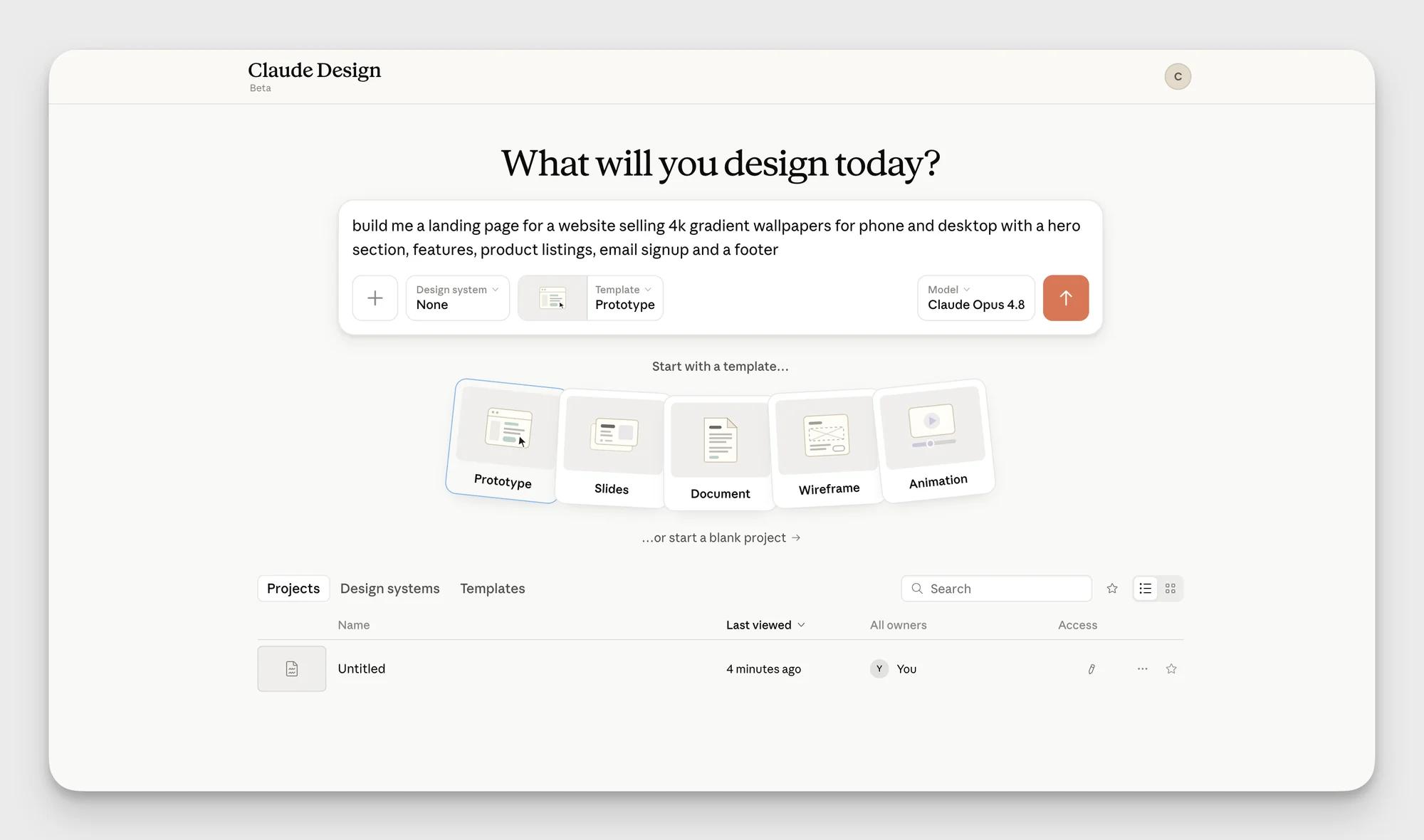
To open it, click the Design button in the Claude sidebar, or go straight to claude.ai/design. Since September you can also just ask for a design inside any conversation with Claude, including in Claude Code and the Artifacts tab, or type /design. Either way you land on a canvas-based interface with project options on one side and your saved work and design systems on the other.
🔒 The rest of this guide is for subscribers. Below: the exact workflow that keeps your usage under control, a full walkthrough of building a brand from scratch, the four features that make the tool worth using, and the habits that decide whether you get hours of work out of it or 30 minutes.
Start With A Design System, Always
Here's the first habit, and it's the one that pays off most: build your design system before you build anything else.