ChatGPT for Accounting: What It Can Do With Your Books
ChatGPT for Accounting connects to QuickBooks, Xero and more. Which plugins can change your books, what you need to set it up, and where it goes wrong.
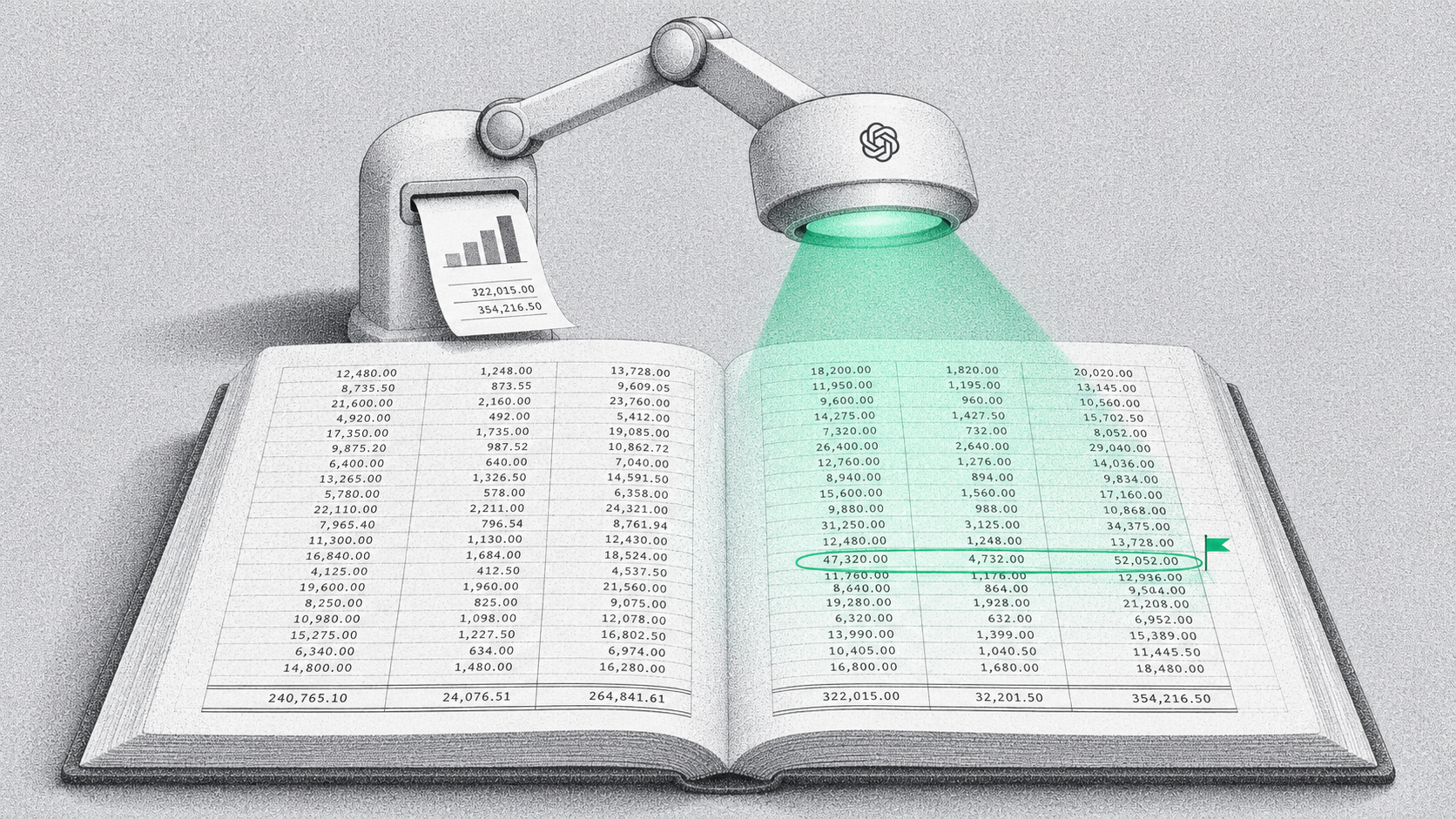
Month-end close is the job most small business owners put off longest. Matching bank lines to invoices, then rebuilding the report you built last month. It's slow, and none of it grows the business.
On 18 November, OpenAI announced ChatGPT for Accounting, an Accounting plugin plus partner plugins for QuickBooks, Xero, NetSuite, BILL, FreshBooks, Rillet and Campfire. The pitch covers month-end reports, bank reconciliation, data entry and audit prep.
The launch page makes it sound as if ChatGPT can now run your books. Read each partner's listing and the picture is narrower. That difference decides whether ChatGPT for Accounting saves you hours or just answers questions about your numbers.
What ChatGPT for Accounting is made of
The launch bundles three separate things, and they do different jobs.
- The Accounting plugin. A plugin is a package that adds instructions, and sometimes app connections, to ChatGPT. OpenAI built this one. Its listing in ChatGPT shows a single skill (a saved set of instructions ChatGPT follows for a task), version 1.0.1, with starter prompts such as "Can you tie out this bank statement to the GL?" It brings accounting know-how, not a connection to your software.
- Partner plugins. These connect ChatGPT to the accounting app itself. Each one is built by the software vendor, and each vendor decides what ChatGPT is allowed to do.
- Computer use. For apps without a plugin, ChatGPT can operate software on your Mac or Windows PC by reading the screen and clicking, the way a person would.
Which plugins can change your books
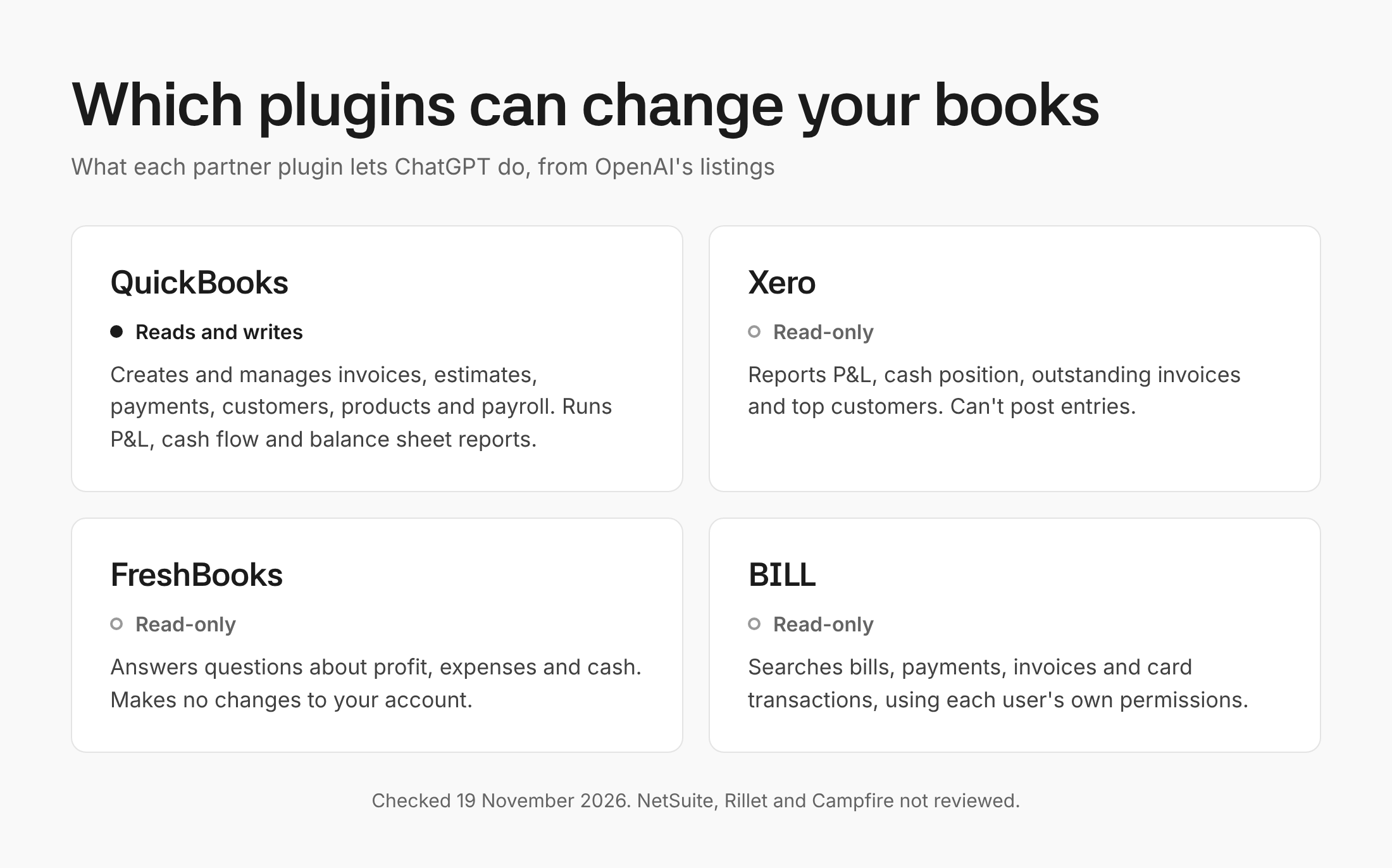
This is the part the launch page skips. AI Manual checked OpenAI's listing for four of the partner plugins on 19 November.
- QuickBooks can write. ChatGPT can manage invoices, estimates, payments, customers, products and payroll from the chat, and generate P&L, cash flow, balance sheet and aged receivables and payables reports.
- Xero is read-only. It reports your P&L, cash position, outstanding invoices and top customers, but can't post anything.
- FreshBooks is read-only. It answers questions about profit, expenses and cash, and makes no changes.
- BILL is read-only. It searches bills, payments and card transactions, using each signed-in user's own permissions.
AI Manual didn't review the NetSuite, Rillet and Campfire listings in detail, so check what those allow before relying on them.
The split explains a detail in OpenAI's own demo. Its invoicing example uses QuickBooks, because QuickBooks can create the invoice. Ask the Xero plugin to do the same and it can't post it. ChatGPT would have to click through Xero using computer use, or hand you a draft to enter yourself.
So QuickBooks users get the most from this launch. If you're on Xero, FreshBooks or BILL, you get a capable assistant for reporting and checking, which is still useful. The promise of less data entry, though, mostly rests on computer use.
What you need before you start
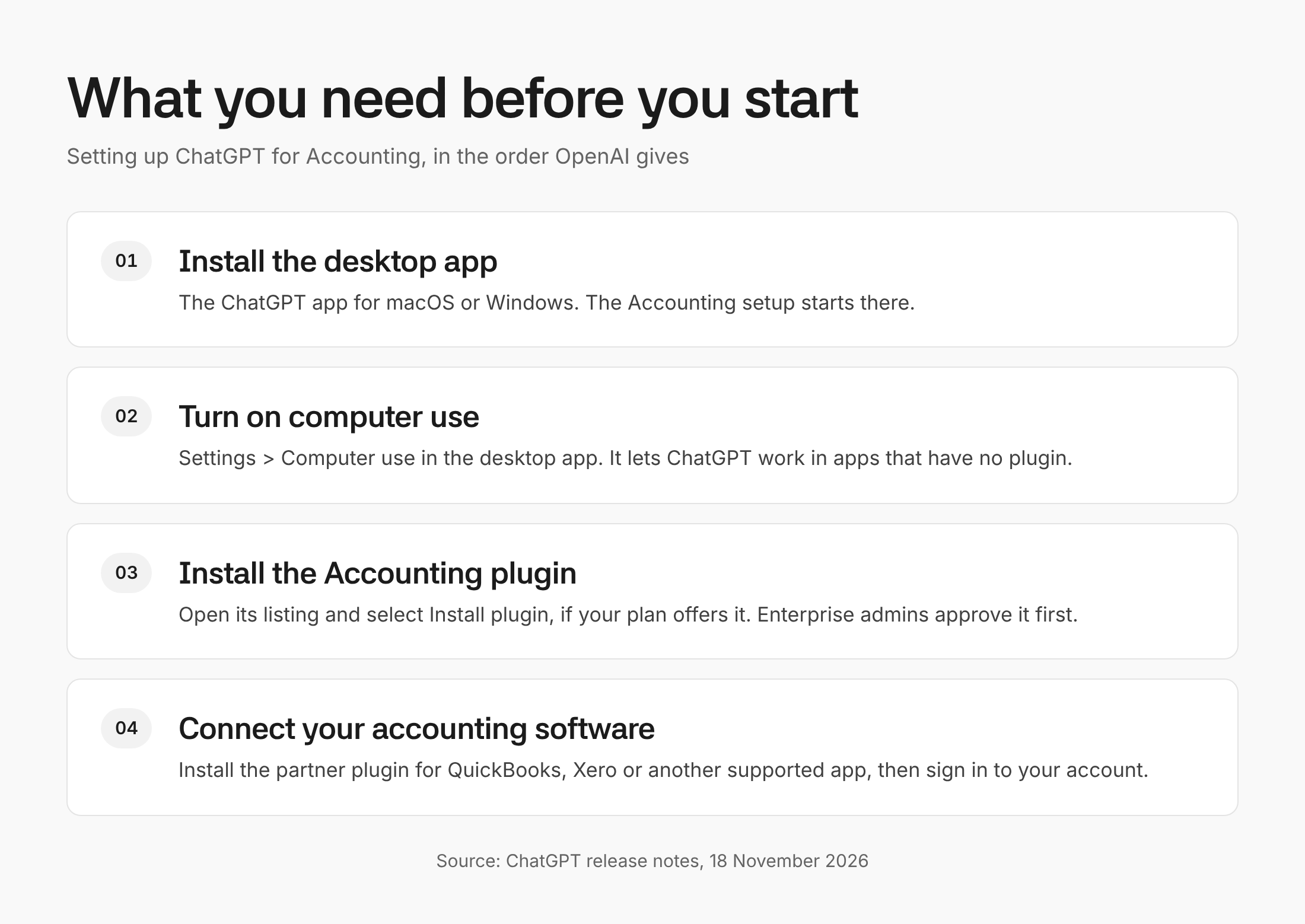
OpenAI's release notes give the setup in this order:
- Install the ChatGPT desktop app for macOS or Windows.
- Set up computer use, under Settings > Computer use in the desktop app.
- Open the Accounting plugin listing and select Install plugin, if it's offered on your plan and workspace.
- Install the partner plugin for your accounting software and connect your account.
OpenAI hasn't published a plan list for the Accounting plugin itself. Its computer use documentation describes the feature as part of ChatGPT Work and Codex, and Work isn't offered on the Free or Go plans, so in practice you should expect to need a paid plan. In Enterprise workspaces, an admin has to approve the plugin before staff can install it.
New to the desktop app and plugins? Our beginner's guide to every ChatGPT feature covers where they sit.
Three prompts to try first
These are OpenAI's own examples from the launch page. Starting with "Accounting" calls the plugin, and typing @ calls a partner plugin.
Bank reconciliation, which works with read-only Xero because it only flags problems:
Accounting match the attached bank statement to our records in @Xero and flag anything missing, duplicated or different for me to review.
A month-end report built from your own template:
Accounting use our template and accounting records to prepare this month's report. Explain the biggest changes and show the supporting detail.
Invoicing, which needs a plugin that can write, so QuickBooks:
Accounting find the latest jobs ready to invoice in my email. Create the invoices with @Intuit Quickbooks for my review. Flag anything unclear.
Every one ends with a review step. Keep that habit. Once a prompt gives you a result you trust, save it as a skill so next month's run follows the same steps.
What the early numbers say
OpenAI's case study of a restaurant franchisee reports that monthly cash reconciliation across three restaurants fell from three hours to five to 10 minutes, a 94% cut. That was ChatGPT Work with uploaded transaction data and bank records, before this plugin existed.
A regional controller quoted on the ChatGPT for Accounting launch page estimates five to six hours saved a month on explaining revenue changes. Both are vendor-published best cases, so treat them as a ceiling.
Where it goes wrong
- Read-only surprises. Ask the Xero, FreshBooks or BILL plugin to post an entry and it can't. Expect a draft, or a slower computer use session clicking through the app.
- Computer use takes over a Windows PC. OpenAI's computer use documentation says it runs in the foreground on Windows and takes the pointer and keyboard, so you can't use that machine at the same time. Running while the computer is locked is Mac only.
- It stops at security prompts. ChatGPT can't approve administrator or security prompts, and OpenAI advises staying present for anything involving payments or credentials.
- Your browser logins become its logins. If ChatGPT uses your browser, it can act on any site you're signed in to, your bank included. OpenAI suggests a separate browser for its sessions.
- Plausible but wrong. An AI can match a payment to the wrong invoice, or write a convincing reason for a variance that isn't true. Ask for references back to the source records and spot-check them. More on that in our guide to using AI without it making things up.
- Data handling depends on your plan. OpenAI says data from Business and Enterprise isn't used to train its models by default. On a personal plan, check your data controls before connecting real accounts.
Get AI advice built around your business
An accounting plugin is one tool. AI Manual is building a system that asks about your business and goals, then tells you exactly where AI fits, from bookkeeping to marketing. It isn't open yet. Contact us and you'll be among the first in.
FAQ
Does ChatGPT for Accounting replace an accountant?
No. It drafts entries, reconciliations and reports, and every OpenAI example ends with you reviewing the result. Judgement calls, sign-off and anything filed with a tax authority stay with you or your accountant.
What if my accounting software isn't a launch partner?
Check the plugin directory first, since vendors keep adding listings. Failing that, computer use can operate desktop apps without a plugin, but it's slower and needs closer supervision.
Is my financial data safe?
OpenAI says workspace admins choose which apps are enabled, users connect their own accounts, and ChatGPT respects each user's existing app permissions. Before connecting anything, read our breakdown of what you're giving AI when you connect your business accounts.
Can I reuse the same process every month?
Yes. OpenAI's launch page describes saving templates, instructions and review checks as reusable skills, then applying them to each month's new records.
Start with a reconciliation you've already done
Run last month's bank reconciliation through ChatGPT, the one you've already finished by hand. If its result matches yours line for line, try this month's. If it doesn't, you've found its failure mode on numbers you already know, before any real entry is at stake.