How to Use AI in Your Business Without Becoming an "AI Business"
Learn how to use AI in your business without rebuilding it around AI: turn your own workflows into steps, automate one yourself and avoid the usual mistakes.
Most advice on how to use AI in your business starts with the tools: which chatbot, which agent, which subscription. That's backwards, and it's why so many owners try AI for a fortnight, get something mediocre and quietly go back to doing it by hand.
The businesses getting real value aren't rebuilding themselves around AI. They take one job they already do, break it into steps and hand the dull parts over. No rebrand, no "AI-powered" badge on the website.
This guide covers how to think about it, how to build your first automation when you're not technical, and the mistakes that make owners decide it doesn't work.
You don't need an AI business. You need AI in your business
Think about the internet. Almost every business uses it, and almost none of them are internet businesses. A florist with a website is still a florist. AI is heading the same way: a tool you use to deliver what you already sell, not a new identity.
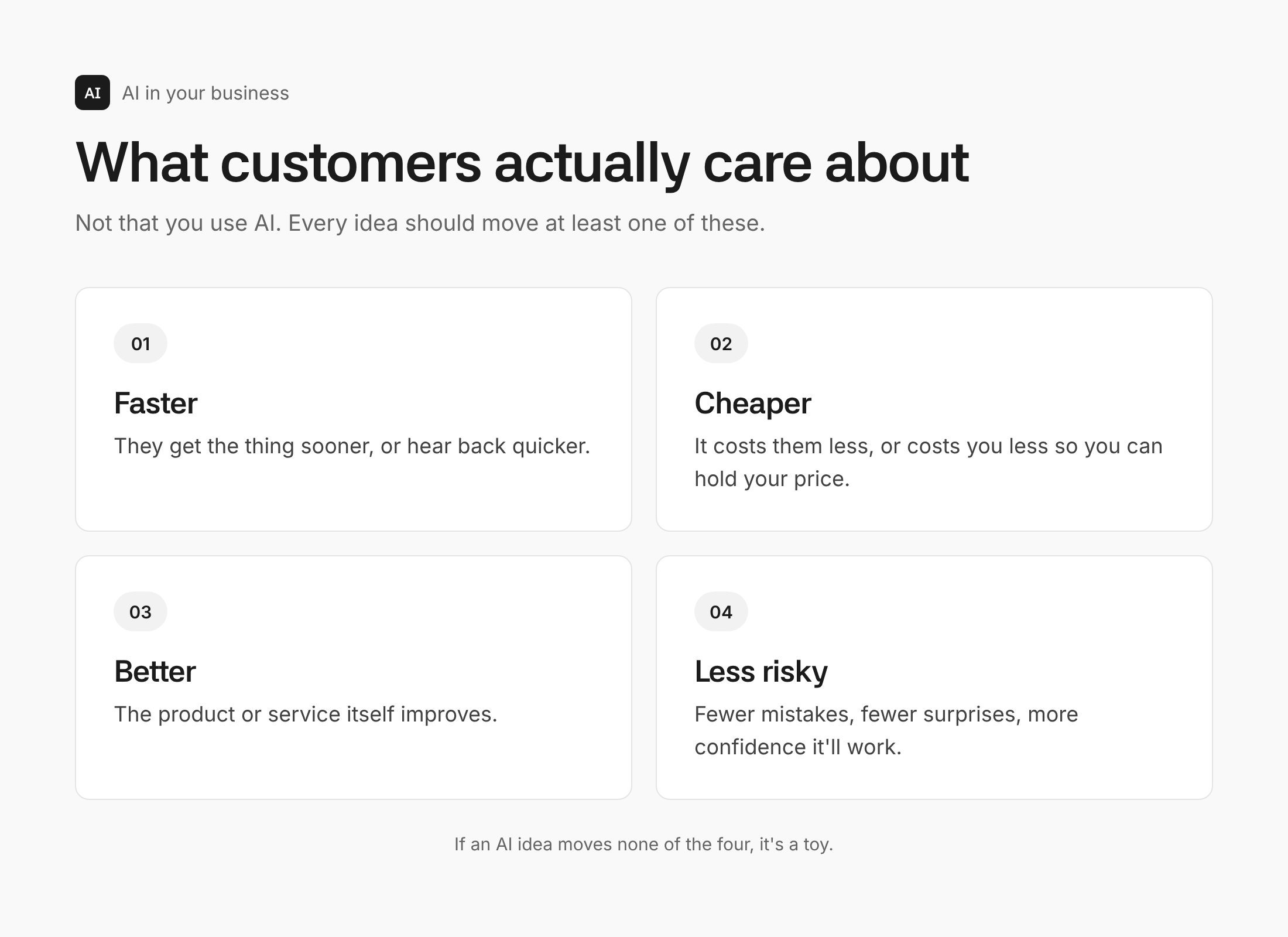
That has a useful side effect. Your customers don't care whether you use AI, any more than they care which accounting software you run. They care about four things:
- Faster. They get the thing sooner, or hear back quicker.
- Cheaper. It costs them less, or costs you less so you can hold your price.
- Better. The thing itself improves.
- Less risky. Fewer mistakes, fewer surprises, more confidence it'll work.
Every AI idea you have should move at least one of those. If it doesn't, it's a toy. And there's no need to announce it: "now powered by AI" tells customers about your tools, not about what they get.
Why you should build it, not the "tech person"
The instinct is to hand AI to whoever in the business is good with computers. Resist it.
A technical person knows what's possible inside their corner of the business. You know how the whole thing fits together: why customers buy, where orders get stuck, which job eats Thursday afternoons. Ask a tech hire what AI could do and they'll suggest what they've seen elsewhere, which usually means the same off-the-shelf automations every competitor already has.
The valuable ideas come from someone who understands the business and, at least roughly, the technology. You don't need to code. You need to know enough to spot that two things you already do could be joined up.
Turn your "gut feel" into steps
The biggest mental block is the belief that part of your job can't be automated because it runs on instinct. You just know which customer to call back first, or what makes a good post.
Call it pattern recognition instead. You've seen enough examples that you spot the pattern quickly. That isn't magic, and most of it can be written down if you describe what you actually do rather than how it feels.
Pick a task and list the observable steps. Not "I come up with an idea", but "I look back at my week, remember what happened, pick the interesting bits and write a headline". Each of those is something AI can do or help with.
A worked example: content ideas from your own week
Coming up with things to post is a job most owners do on instinct. As steps: check what happened this week, recall the conversations, pick the interesting moments, turn them into ideas.
The first two steps are already sitting in your calendar and your call notes. Most video-call tools now offer transcription, at least on some plans, so the raw material often exists already. Before connecting a calendar or inbox to an AI tool directly, it's worth reading up on what you're handing over when you connect business accounts to AI.
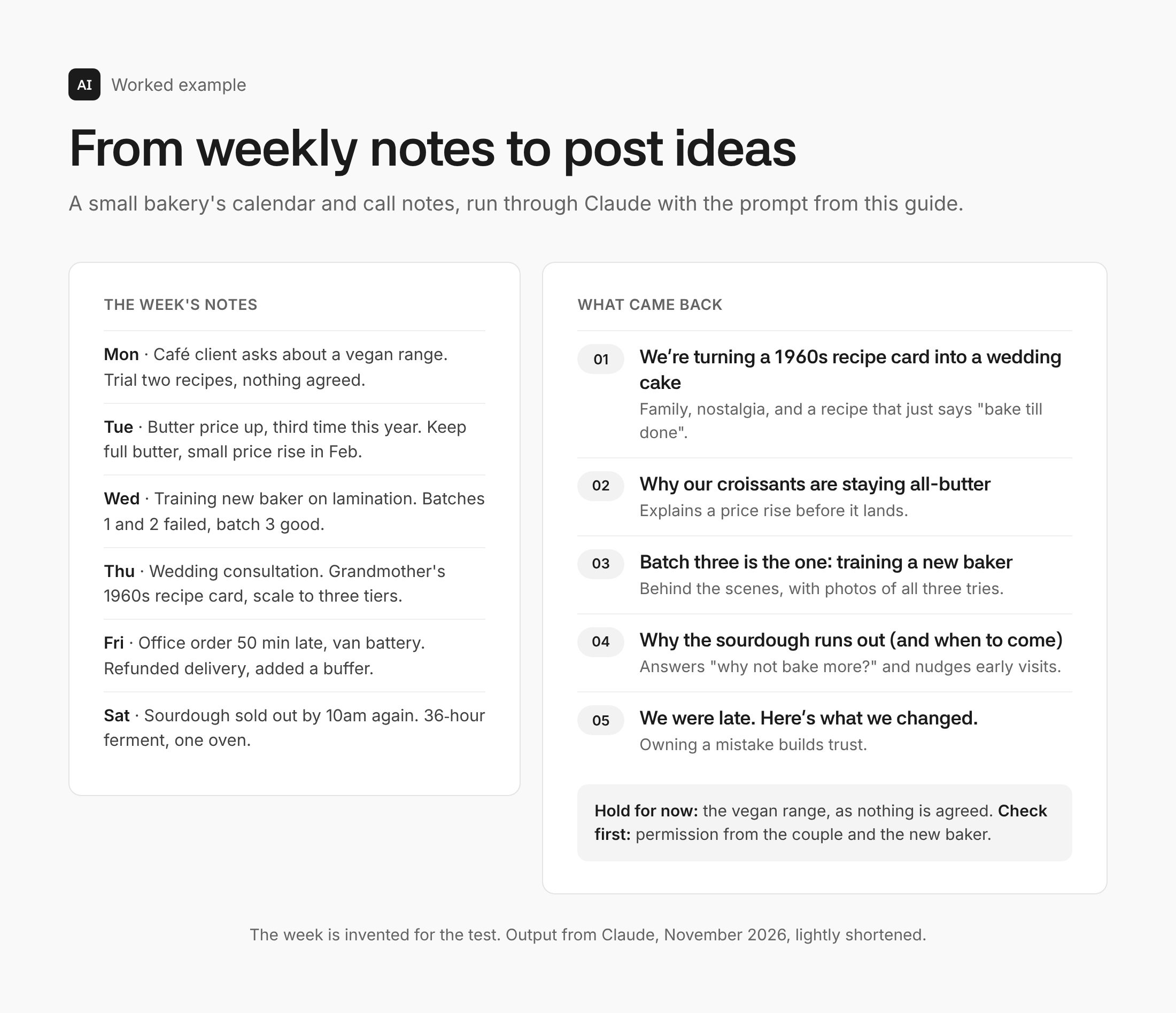
To test it, AI Manual wrote a realistic week of notes for a small bakery: a supplier call about butter prices, a new baker's training session, a wedding consultation, a late delivery and the sourdough selling out early. The notes went into Claude with this prompt:
Here's my calendar and my call notes from last week. I run a small bakery that sells in the shop and supplies a few local cafés. Pick the five most interesting situations or decisions from the week that would make good social posts or newsletter stories for my customers. For each, give me the moment in one line, why a customer would care, and a working headline. Use only what's in the notes. Don't invent details, numbers or quotes, and tell me if anything shouldn't be posted yet.
It came back with five usable ideas. The strongest was one an owner might file under admin: a couple bringing a handwritten 1960s family recipe to be scaled up into a three-tier wedding cake. It also turned the butter decision into a post explaining a price rise before it lands, which is customer service disguised as content.
Two things stood out. It held back the one item that wasn't safe to post, a café deal that hadn't been agreed. And it flagged that the couple and the new baker should give permission before their stories went out. The last line of the prompt did that work.
Why does this beat asking AI for "content ideas"? Because every idea is true. The hard part of AI content isn't volume, it's proof. Anyone can generate posts. Only you have the real stories.
How to use AI in your business when you're not technical
The example above is a prompt you run by hand. The next step is wiring it up so it runs itself, pulling in the calendar automatically and sending the ideas to your inbox every Friday. That's the job of automation tools such as Zapier, Make and n8n.
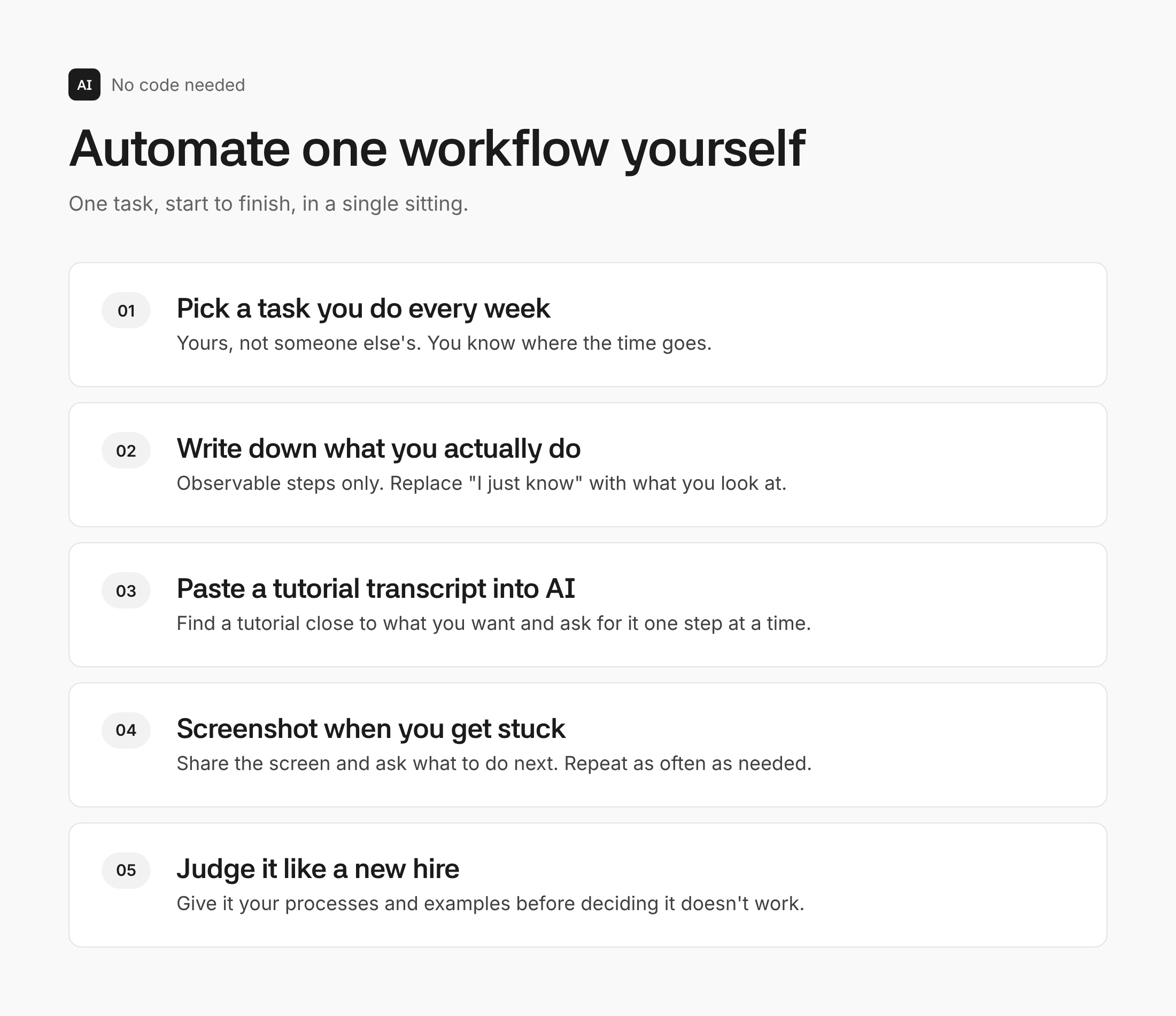
You don't need a course. There's a free tutorial online for almost any automation you can think of. The trick is not to watch it passively:
- Find a tutorial for something close to what you want.
- Copy its transcript and paste it into Claude or ChatGPT with the prompt below.
- Follow the steps the AI gives you, one at a time.
- When you get stuck, screenshot the screen and ask what to do next. Repeat as often as needed.
- Finish it in one sitting. Block out an evening or a morning and take one workflow from start to end, rather than half-building five.
Here's the transcript of a tutorial on [what it builds]. I want to build something similar for my business: [what you want it to do]. I'm not technical. Walk me through it one step at a time, wait for me to confirm each step before giving the next, and tell me exactly where to click.
If you haven't chosen a workflow yet, the guide to picking your first AI task as a small business has a four-question test that narrows it down.
Judge it like a new hire, not a finished system
This is where most AI projects die. An owner sets up a rough AI version of a job, compares it with a process the team has refined for years, and declares that AI doesn't work.
That isn't a fair test. Think how long it took to train your best person: the documents, the shadowing, the corrections. Give the AI the same treatment. Hand it your written processes, examples of good and bad work, and the rules you'd give a new starter. Then compare.
The same goes for bigger systems. You wouldn't drop a salesperson from another company into your business and expect results on day one. An AI sales assistant is no different, and it'll be worse still if your sales process isn't clear to begin with.
Where else AI fits in a small business
Once one workflow works, the same approach spreads across the business. A few that suit most small businesses:
- Marketing. Ideas drawn from real events, first drafts of headlines and scripts, and checks on which formats are trending against what you already make.
- Content into ads. Turning yesterday's post into today's ad, or a new customer review into a set of branded images, automatically.
- Sales. Researching a lead before you reply, drafting a quick personalised response, booking calls without the back-and-forth.
- Support. Answering routine questions ("where's my order?") and passing anything unusual to a person.
- Admin. First drafts of standard letters, contract summaries and chasing emails.
The point isn't to do all of them. It's that almost anything a person handles on a screen, AI can now help with at some level.
Where it goes wrong
- Automating a broken process. AI makes what you already do faster. If the process is bad, you now have a bad process at scale. Fix it first.
- Letting cost make the decision. In 2024 Klarna said its AI assistant was doing the equivalent work of 700 full-time support agents. By May 2025 its chief executive was recruiting people again, saying that focusing on cost had left it with "lower quality". Measure what customers get, not just what you save.
- Advertising the tool. Nobody buys because you use AI. They buy because the result is good.
- Publishing without proof. Generic AI content is everywhere. Content built from real events, results and customers is what still persuades, especially when you sell to other businesses.
- Handing it all to someone else. The automations that matter come from whoever understands the business best. That's usually you.
Some jobs still suit people better whatever you do, and there's a fuller list in what AI can and can't do for a small business.
Get an AI plan built around your business
AI Manual is building a service that asks about your business and goals, then shows you where AI will make the biggest difference, with playbooks shaped around how you work. It isn't open yet. Contact us and you'll be among the first in.
FAQ
Do I need to be technical to use AI in my business?
No. You need to know your business well and be willing to follow instructions step by step. The tutorial-and-screenshot method above gets most owners through their first automation without writing any code.
Should I tell customers I use AI?
Not as a selling point, because it isn't one. But be honest where it matters: if a customer is talking to a bot, say so, and always give them a way to reach a person.
What should I automate first?
A task you do yourself every week, that's mostly words, and where a mistake is cheap and easy to spot. Drafting replies, writing up notes and turning one piece of content into several are common starting points.
Will AI replace my staff?
For most small businesses it takes over tasks rather than whole jobs. The Klarna example is a useful warning: cutting people first and checking quality later tends to cost more than it saves.
The takeaway
Pick one workflow you do yourself every week. Write down what you actually do, step by step, with no "I just know" left in it. Then book a single session this week to automate it from start to finish. One finished automation teaches you more about using AI in your business than any amount of reading about it, this included.